Gitlab to Github
Method 1: Using the GitHub Repository Importer Tool
Thanks to GitHub‘s importer tool, you can easily migrate your project hosted on another version control system like GitLab and automatically import it to GitHub.
Here’s how to go about it:
In the upper-right-hand corner of any page, click +. Follow this up by clicking on Import repository.
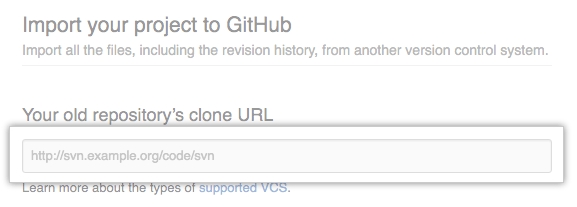
Under the Your old gitlab repository’s clone URL option, type the URL of the project you want to import.
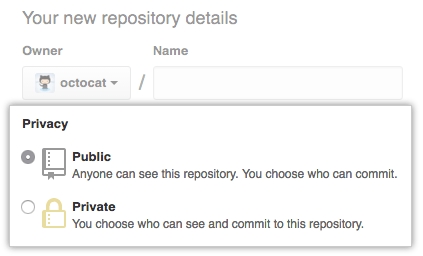
Select either your personal account or an organization to own the repository. Once that’s done, type a name for the repository on GitHub.
Next, specify whether the new repository will be public or private. You can check out this article to learn more about repository visibility.
Click on Begin import.
If your old project was password-protected, type the login information for that specific project. Select Submit.
You may also have to choose the project you want to import if you have multiple projects hosted at your old project’s clone URL. If that’s the case, select the right project and click Submit.
Method 2: Using the Command Line
Before we get down to the steps, make sure you know your GitHub and Gitlab username and the clone URL's for the external repository.
The following is how you import a Git repository using the command line.
Create a new repository on GitHub. This will be the new repository where you will import your external git repository from gitlab.
Ensure you Know the Repository URL.
Open the Local Repository ( i.e Gitlab , which you want to migrate ) and check the remote details.
List the configured remote repositories:
The default origin remote is pointing to GitLab. Let’s point it to GitHub
Open the imported project on GitHub and copy its clone URL as if you were going to clone it:
5. hange the origin remote URL:
If you list the remotes again, you’ll see that the default origin remote now points to GitLab as well as Github.
.
Last updated