Archive Github Repo
If you aren’t going to make any more changes to the old GitHub repository, you can archive it to make it read-only and indicate that it is no longer maintained. In case you change your mind in the future, GitHub allows you to unarchive repositories that have been archived.
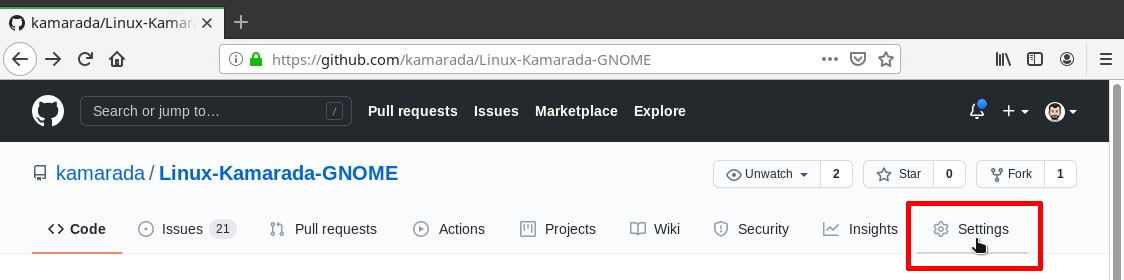
To archive the GitHub repository, navigate to the main page of the repository.
Under your repository name, click Settings:
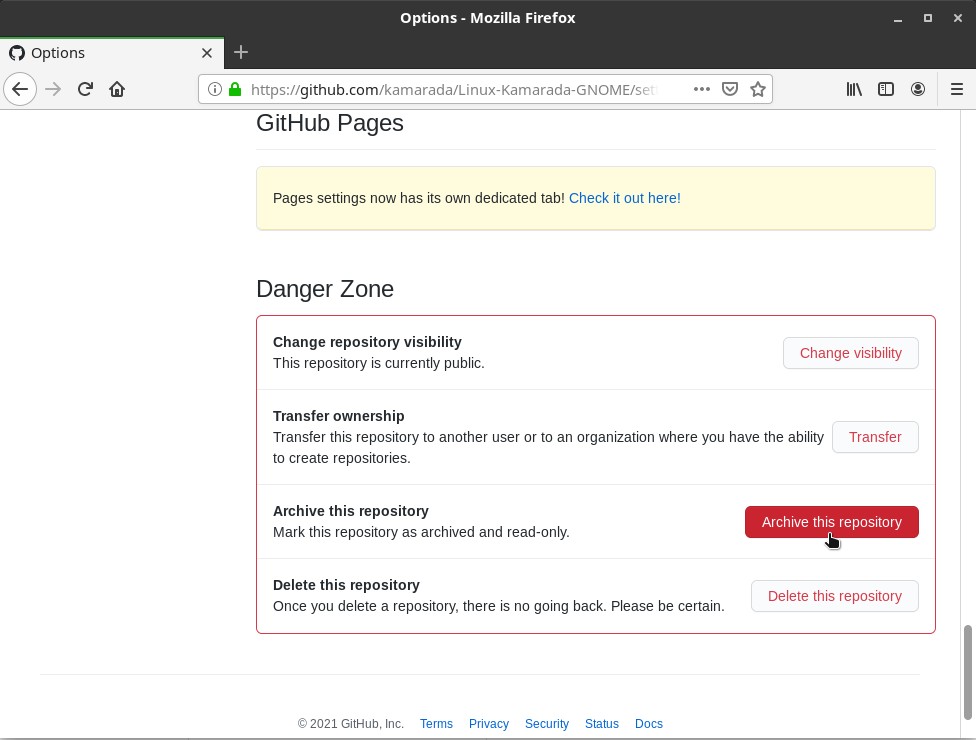
Under Danger Zone, click Archive this repository:
Carefully read the warnings:
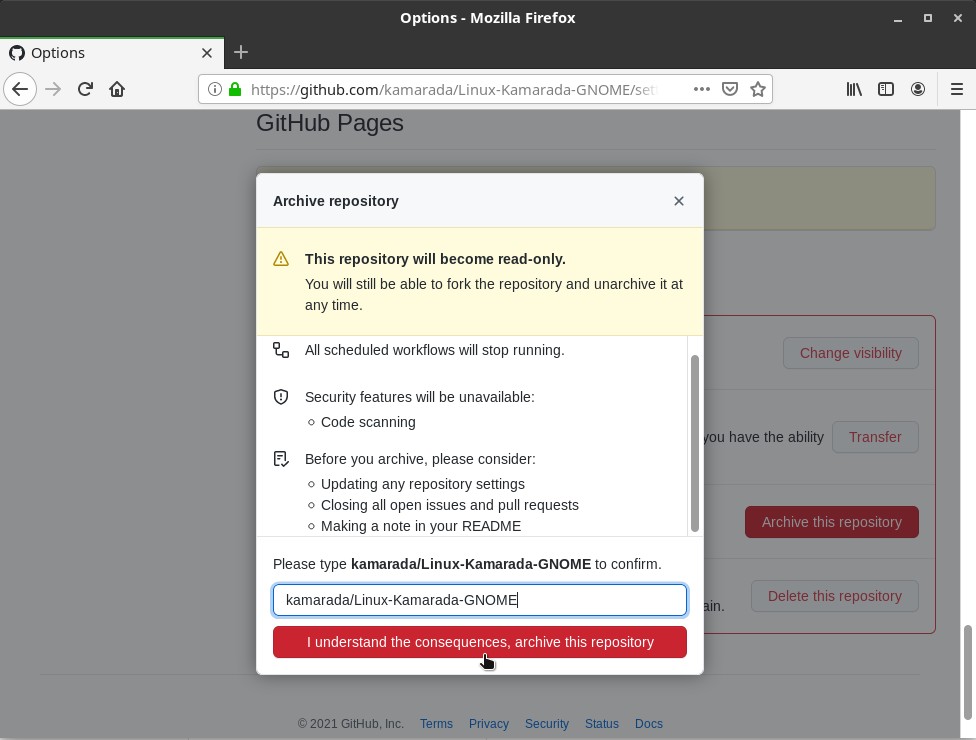
Then, type the name of the repository you want to archive and click I understand the consequences, archive this repository
Last updated